Posts

Showing posts with the label Quickbooks File Merge

Quickbooks Online File Preparation Service

  Quickbooks Online File Preparation Service Does your Quickbooks data file have too many years of data which in turn is causing the file size to be too big to export to Quickbooks Online? Did you clear your Audit Trail to bring down the file size? The Quickbooks Online File Preparation Service will prepare your data file to be under the file size limit of QBO so it can be converted without any problems. QBO Export File Size Limit According to Intuit "While QuickBooks Desktop Enterprise and QuickBooks Online (QBO) do not have list limits, a size limit exists when you convert from QB Desktop to QBO. To convert a desktop data file to QuickBooks Online, your Desktop company file must have less than 350,000 targets." The size limit to export your Quickbooks Desktop file to Quickbooks Online is 350K targets. To find the size and number of targets in your Quickbooks file, press the F2 key after opening the data file. If you are over the limits, the desktop file wi...

Quickbooks Negative Quantity on Hand (QOH) Repair

Image
  Quickbooks Negative Inventory is caused when sales transactions are entered before entering the corresponding purchase transactions, i.e., you sell inventory that you do not have in stock.    Why do files have Negative Inventory? Basically, you are entering an invoice transaction before entering a transaction to add stock such as a bill, item recipt, etc. The basic reason for Negative QOH is inventory control takes time and effort . Also, a lot of businesses are online/drop-ship and it is normal to sell items before receiving them. Another reason is that Non-Inventory items are marked as Inventory items in Quickbooks. If this is the case, you will need to convert the inventory items back to Non-Inventory items. Contact us for details. What are the effects of Negative Inventory? Negative Inventory can cause on or more of the issues listed below. Continued use of data files with negative inventory will render them unusable at some point. Inventory Items have...

SuperCalc Conversion - Etech CA

Image
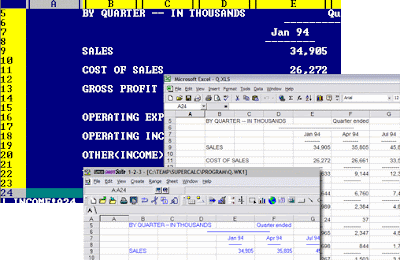
SuperCalc was sold in the 80's by a company called Sorcim. CA (Computer Associates) later purchased and sold this product through the 90's. We provide a conversion service to convert SuperCalc files to Excel, Quattro Pro or 123 format.

Sage 50 Quantum Downgrade Service | Quickbooks Enterprise to Pro

Image
We offer a Sage 50 database downgrade service to convert Sage 50 Quantum datasets to Sage 50 Pro or Premium. The downgrade service is completed without any loss of data and the turnaround time is 1–2 business days. All data will be transferred including lists, transactions, users, settings and reports. The downgrade supports both the Canadian and US editions of Sage 50. The codes below are the common codes received when you open a Sage data file in an edition that is lower than the source data file. We can downgrade the file to fix the error.     This company cannot be opened with Sage 50 Premium Accounting because it is from Sage 50 Quantum Accounting     This company cannot be opened with Sage 50 Complete Accounting because it is from Sage 50 Premium Accounting     This company cannot be opened with Sage 50 Pro Accounting because it is from Simply Accounting Enterprise/Sage 50 Complete Accounting     This company c...

Simply Accounting Downgrade Service

Image
Do you need to downgrade from Simply Accounting Enterprise to a lower edition such as Pro or Premium? We offer a service to downgrade your data file with no data loss and a quick turnaround. We offer a database downgrade service to convert Simply Accounting Enterprise /Sage 50 Quantum to Simply Accounting/Sage 50 Pro or Premium. The codes below are the common codes received when you open a Sage data file in an edition that is lower than the source data file. We an downgrade the file to fix the error. This company cannot be opened with Simply Accounting/Sage 50 Premium Accounting because it is from Simply Accounting Enterprise/Sage 50 Quantum Accounting This company cannot be opened with Simply Accounting/Sage 50 Complete Accounting because it is from Simply Accounting Enterprise/Sage 50 Premium Accounting This company cannot be opened with Simply Accounting/Sage 50 Pro Accounting because it is from Simply Accounting Enterprise/Sage 50 Complete Accounting This c...

Simply Accounting Database Repair

Simply Accounting Database Repair We offer Data Recovery services to users of Simply Accounting ®. Below are some common errors that we handle but by no means a comprehensive list. "Not a valid Simply Accounting database " "Unable to open the Company File" "Your data may be damaged" "The program could not process this transaction. There may be problems with your Company Information data. Wait a few moments, and then try to process the transaction again." "Data inconsistencies have been detected in your database. Your data files may have been damaged. Do you want to repair your data?" "The function that you have selected has failed" "The program was not able to repair the database. Please restore from backup." "User name or password does not exist" "Simply Accounting cannot process this transaction" Data Recovery including damaged media (backups made on bad floppy disks)